Skip to content
Accreza
Product Early access soon How it works Proof Questions Amazon Egypt profit and fee calculator Amazon Egypt fees, the full table Guide Pricing Security & data About العربية Contact
Early access Per-SKU, ROI tracking & Amazon sync Apply →

See the profit your payout hides.

For Amazon Egypt sellers: one Date Range report becomes your real profit-and-loss — every fee and refund, reconciled to your payout.

See your gap Start free Track every settlement
Sales Amazon's fees Refunds Ads Storage Payout

From your report · every line ties to the payout, to the piastre

Your costs VAT & tax Net profit

With your costs · coming to your account

Where do I get this?

Seller Central → Reports → Payments → Date Range Reports → Transaction → pick your month → Download CSV.

watch it on sample data →
No card · 30 days free, then E£750 a month per store
Built around your real data Amazon Date Range reports CSV XLSX EGP · Arabic · amazon.eg Role-based team access Private to your store · never sold
Where the margin goes

Your payout looks fine. Two hidden mechanics say otherwise.

Amazon deposits one blended number. Underneath, two things quietly bury your real margin — and no standard report shows you either one.

01 Amazon's cut, added up

You price for the referral fee. Amazon's cut doesn't stop there.

Fulfilment is charged in a separate column, and Easy Ship deliveries on rows of their own. Accreza adds them into one line — your total referral and fulfilment fees, as a share of your sales.

Referral and closing fees+FBA fulfilment+Easy Ship=Amazon's full cut
02 Refunds, underpriced

A refund gives the sale back. The fulfilment fee is another story.

When a refund goes through, the sale comes off your revenue, but the fulfilment fee may not come back with it. Where Amazon keeps it, that's a cost on a sale that didn't happen. Accreza checks every refund for it and counts what was kept as part of the return, so a "low return rate" can't hide it.

Sale given back+Fees Amazon kept=What the refund cost
Where a sale goes before it becomes yours
  1. SalesVAT included
  2. Amazon's feesreferral, fulfilment, storage, ads
  3. Refundsand the fees kept on them
  4. Your payoutwhat Amazon sends
  5. Your costs and taxgoods, inbound, overheads, taxes
  6. Bottom lineafter every cost and tax

Accreza fills these steps in from your own report — and labels any it can't prove yet.

The second phantom published fees

Amazon pays in USD. The payout routes through Payoneer — receive · withdraw · FX — before it reaches your bank in EGP.

the payout receive ~1% withdraw ~3% FX up to 4.5% your bank

"What Amazon says you made" and "what hits your bank" are never the same number.

What it does

A bespoke profit engine — and every figure it prints, it can prove.

Below is the statement's structure. Your own report fills in the figures — we don't invent them.

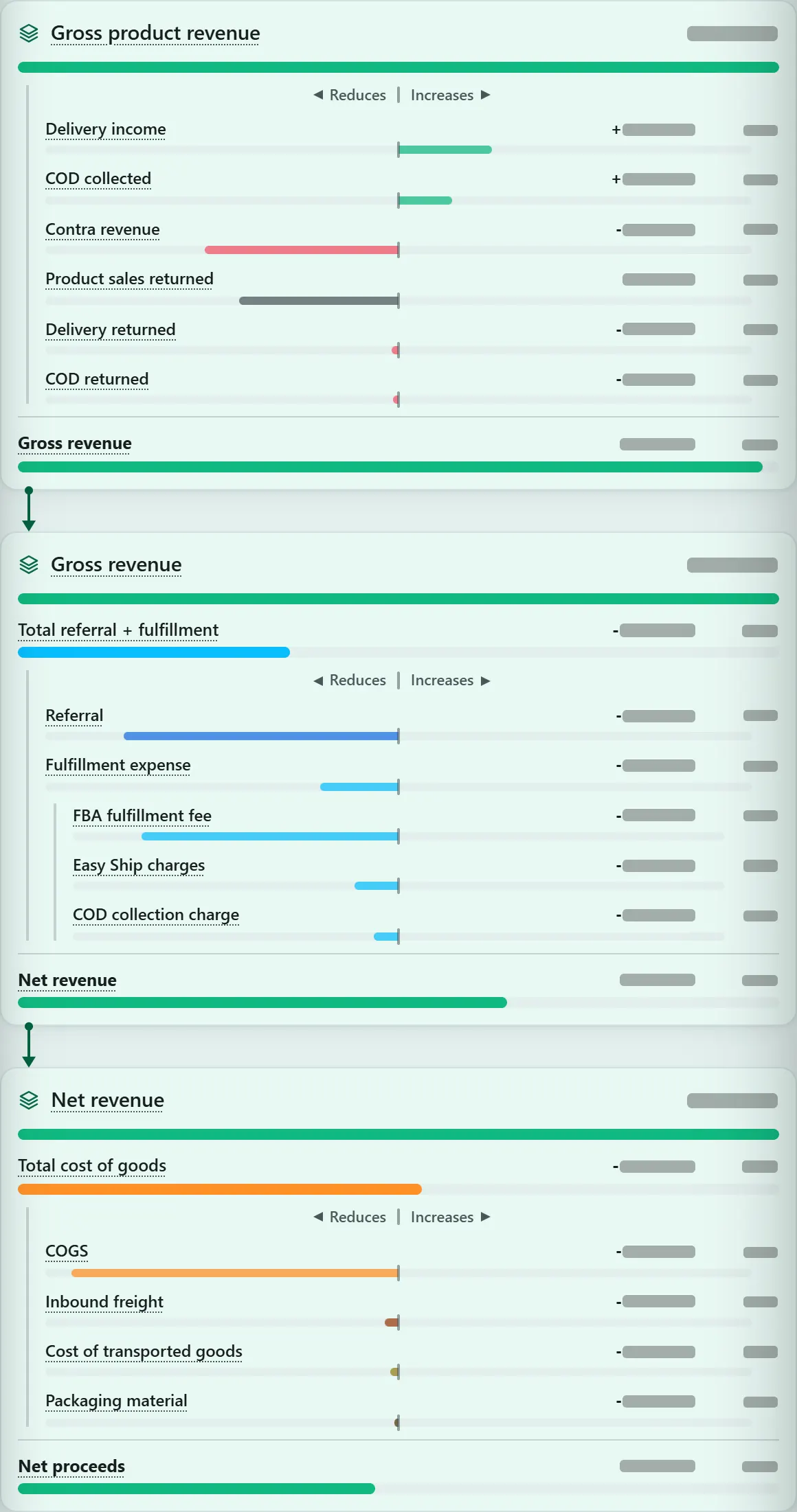
Full profit-and-loss breakdown

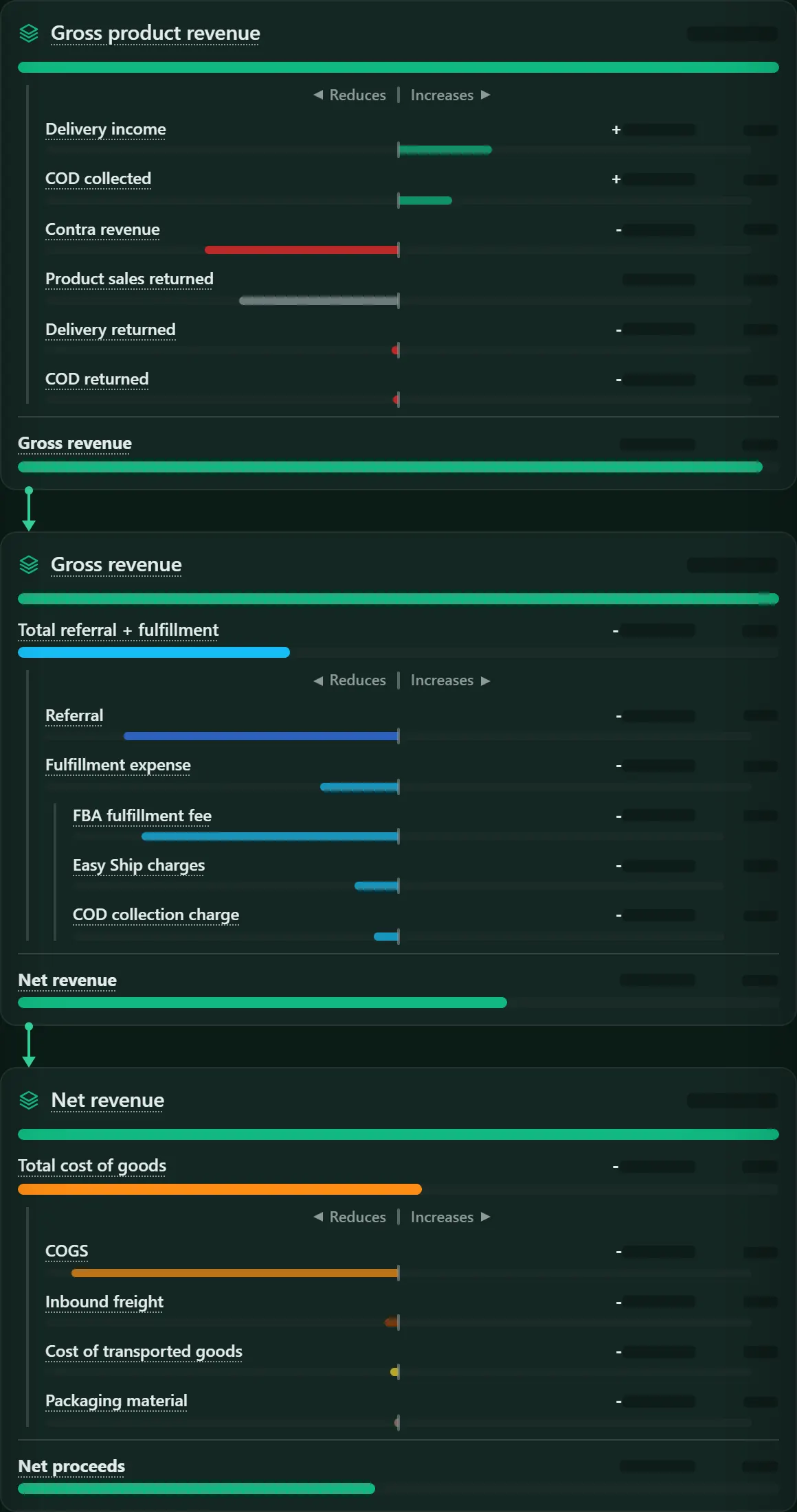
Gross revenue down to net profit — Amazon's fees, returns, ads, your costs, VAT and tax — every line reconciled, and every line marked actual, estimated or unknown.

The sales layer in the new dashboard, line by line: gross product revenue, gross revenue, net revenue and net proceeds with their parts; figures hidden.The sales layer in the new dashboard, line by line: gross product revenue, gross revenue, net revenue and net proceeds with their parts; figures hidden.The new dashboard — coming to your account

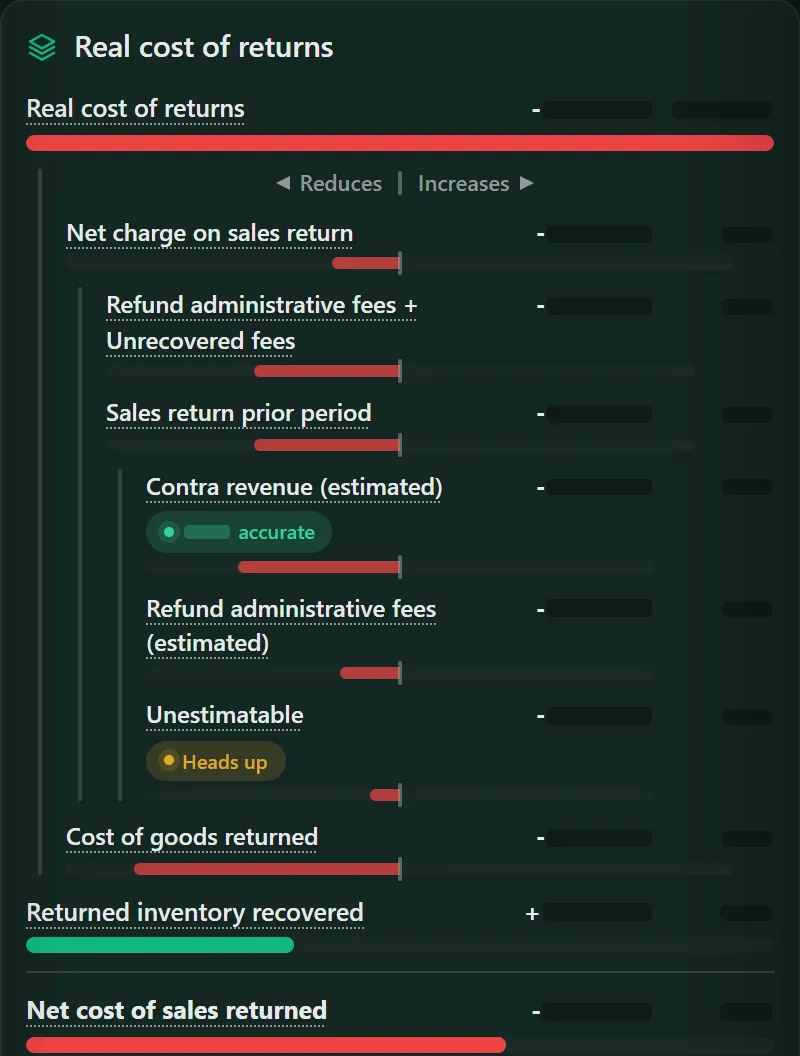
What returns really cost

Coming to your account

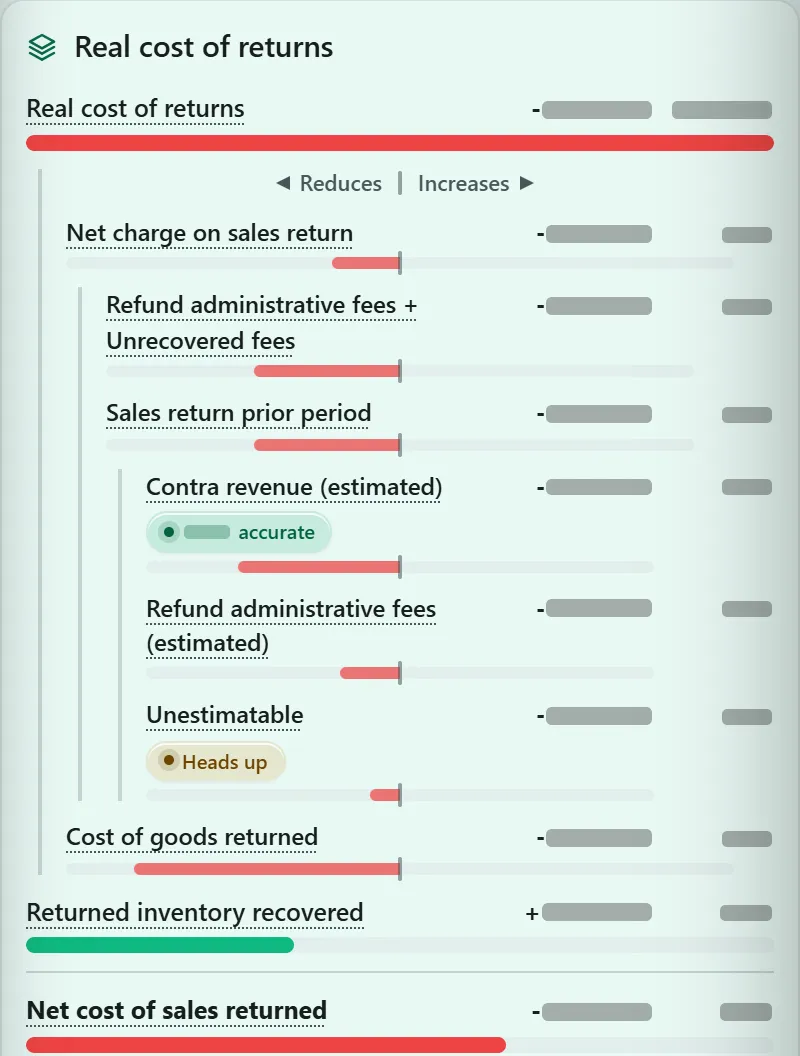
A refund gives the sale back, but not always the fees. Accreza counts each return as the sale reversed plus the fees Amazon kept, so a "small" return rate can't hide a profit leak.

Returns in the new dashboard, line by line: refund administration fees, earlier months' returns, the cost of goods returned and the stock recovered; figures hidden.Returns in the new dashboard, line by line: refund administration fees, earlier months' returns, the cost of goods returned and the stock recovered; figures hidden.The new dashboard

Month over month

Coming to your account

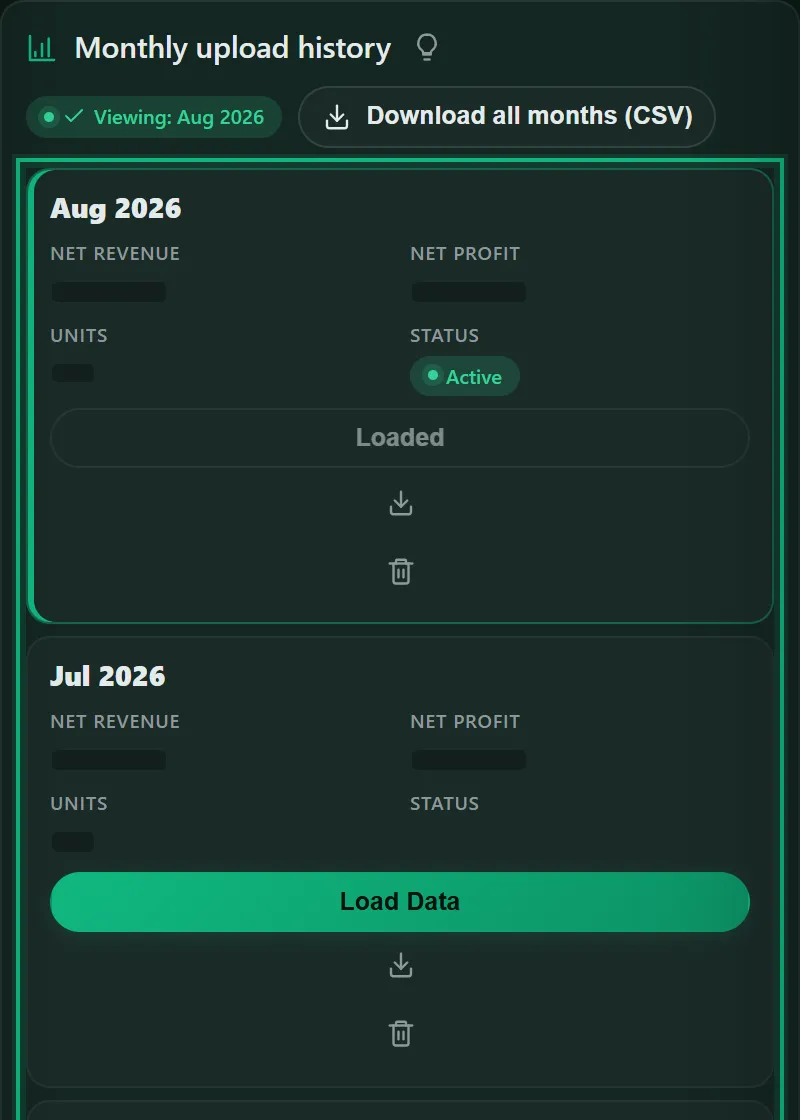
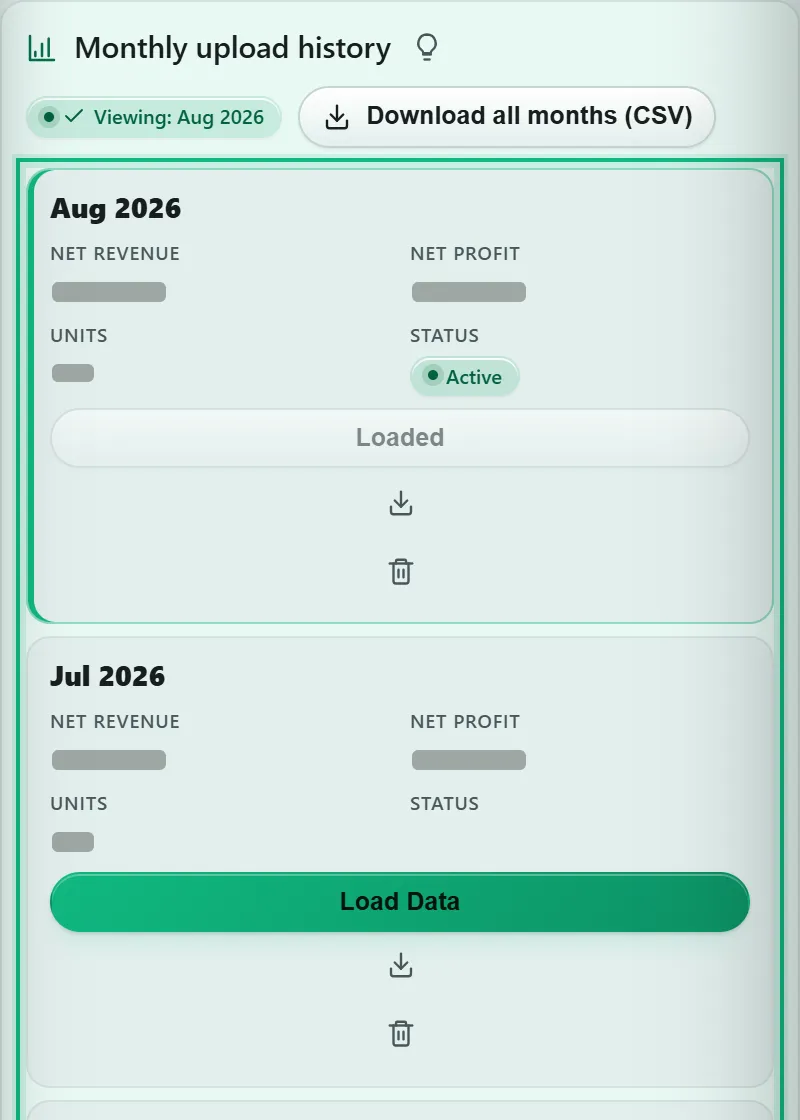
Every month you upload is saved as its own statement, and set beside the month before — line by line.

Monthly reports in the new dashboard: every uploaded month saved as its own statement; figures hidden.Monthly reports in the new dashboard: every uploaded month saved as its own statement; figures hidden.The new dashboard
The whole operating picture

Not just a report — the operating system for your store.

The P&L is where it starts. Accreza turns each month's file into an operating system for the store — decisions, research, and a team that only sees what it should.

accreza — your store sample Monthly statement
Home in the new dashboard: the month's net profit and the waterfall from total sales to net profit, on a sample month with the figures hidden.Home in the new dashboard: the month's net profit and the waterfall from total sales to net profit, on a sample month with the figures hidden.
Team in the new dashboard: each employee's role and access, with no financials for the fixer and the researcher.Team in the new dashboard: each employee's role and access, with no financials for the fixer and the researcher.
The new dashboard — coming to your account
Early access · coming soon

Your statement shows the month. The next tier shows what to do about it.

A higher tier, coming soon — E£1,600 a month per store. Apply now — you get each piece as it's ready.

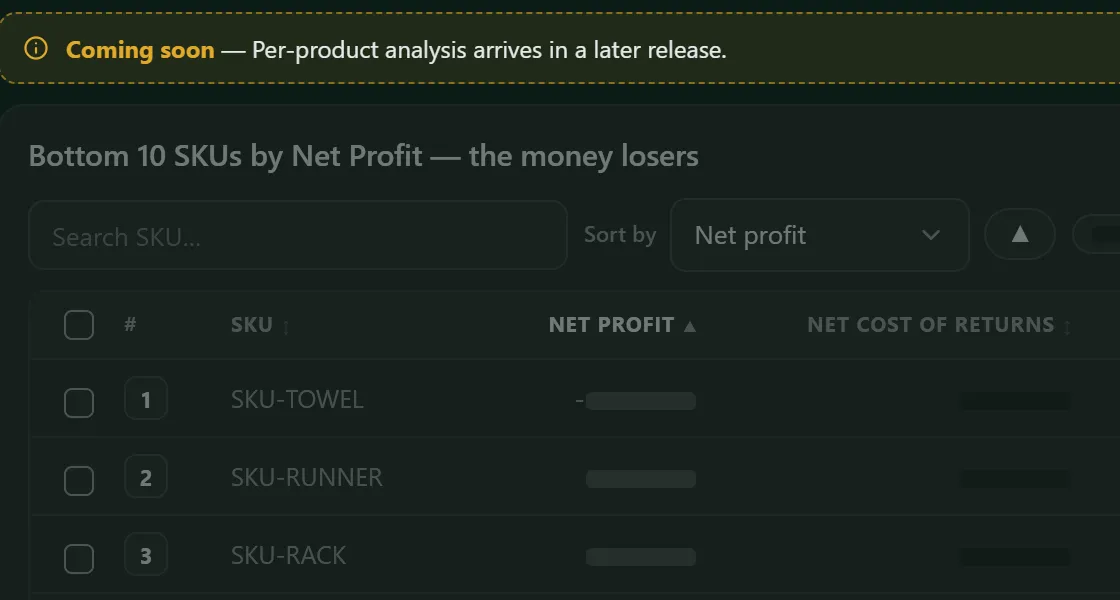
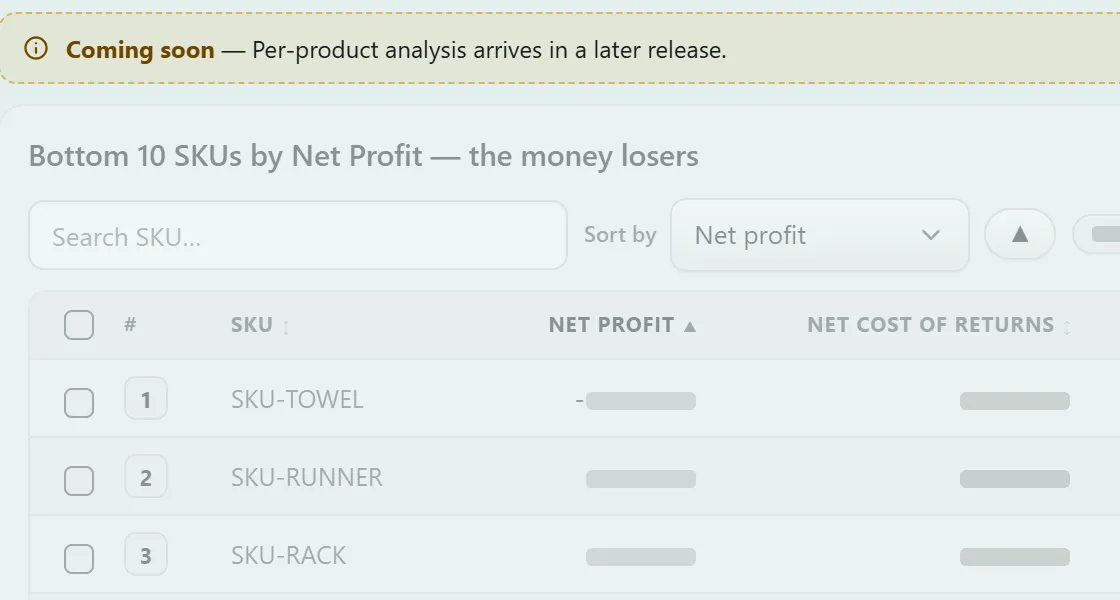
Which products make you money soon

Every product ranked: cut, fix or scale — by what it actually made you.

What your fixes earned soon

Each change you make, measured against the next settlement.

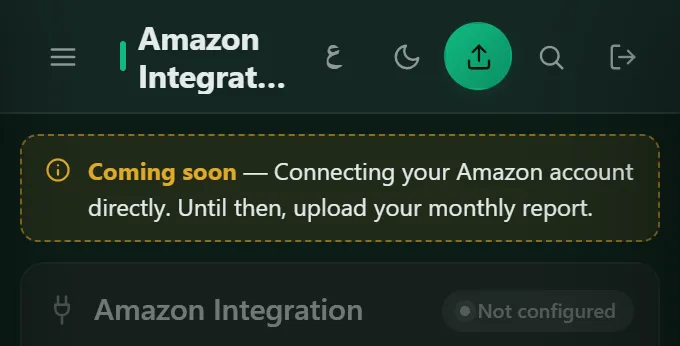
No more uploads soon

Connect Amazon once; your statement updates itself.

Apply for early access
Apply for early access Opens an email to the team — tell us about your store.
How it works

One upload. No setup, no access, no wait.

Start with the Date Range report you already download — nothing to set up, no account access to hand over. Want it automatic later? Amazon sync comes with early access, and it's optional.

what most tools demand
Connect your Seller Central account before you see anything
Grant ongoing access to your store's data
Learn a dashboard before you get an answer
what accreza asks
Just one file.
transaction_jul.csv— you already download it
1 Drop it in
2 It rebuilds your real P&L
3 Finish it with your costs
Want it automatic? Amazon sync is coming with early access
Proof, on your own numbers

How you'll know it's working.

We're new, so there are no customer case studies yet — and we won't invent them. Here's proof on the only numbers that matter: yours.

now · free

Your baseline

Your gap, reconciled — from one Date Range report.

you act

Fix what's leaking

Act on the fees and refunds it surfaced.

coming to your account

Next month, side by side

Upload the next report — the months line up, line by line.

What your fixes earnedEarly access · soon
E£ your gap
tracked
tracked
tracked
Month 1234

Two uploads in, your months line up side by side. Fix-by-fix tracking comes with early access

Questions

Straight answers, before you drop your report.

The free check

Is Accreza free?

The check is: reading your report needs no account and no card, and your profit-and-loss opens on its own free page. The profit calculator and the Amazon Egypt fee table are free too. Your account is free for 30 days, then E£750 a month per store, VAT included; the 30 days start once your full P&L is in it. Early access will be E£1,600 a month per store when it opens. See pricing

Is it safe to upload my Amazon report?

Yes. The free check reads your report in your browser: the file never reaches our servers. If you then create an account, only the answers you typed on your P&L page go with your sign-up — your products' unit costs, your VAT status, where your stock comes from and that month's overheads. In your account, you choose what's kept. Security & data

Which Amazon marketplaces does it work for?

Amazon Egypt (amazon.eg) only. The statement is built around EGP, Egyptian VAT and Amazon Egypt's own fees — referral fees by category, FBA fulfilment, Easy Ship and cash-on-delivery charges — so other marketplaces aren't covered. Amazon Egypt fees, the full table

Do I have to connect my Seller Central account?

No. You download one report from Seller Central and drop it in — we never ask for access to your account, your password or API keys. Automatic Amazon sync is optional, and comes later with early access once Amazon approves it.

Where do I find my Amazon Date Range report?

It's the transaction report Amazon keeps for every seller: every order, fee, refund and transfer for the dates you pick. In Seller Central go to Reports → Payments → Date Range Reports → Transaction, pick a whole month and download the CSV. Use the file as Amazon gives it: a copy that has been edited or cut down leaves costs out.

Your statement

What if the numbers don't match my payout?

Every figure ties to Amazon's own payout column, to the piastre. A line that can't be tied is marked estimated or unknown — never dressed up as fact.

What does the statement include?

Your full profit-and-loss, from gross revenue down to net profit: referral and closing fees, FBA fulfilment, cash-on-delivery and other transaction fees, returns, advertising, your cost of goods and running costs, VAT and income tax. Every line is marked actual, estimated or unknown. On the free P&L page your report and your answers take it down to operating income; the full statement is locked in the new engine and coming to your account. See the statement

How is this different from Amazon's own reports?

Amazon's reports list transactions and payouts, and its fee pages explain each fee on its own. Accreza turns the same Date Range report into a profit-and-loss: every fee, refund and charge in its place, your own costs added, down to net profit — so you can see where every pound of a sale went. How Amazon Egypt fees work

How are refunds from earlier months handled?

They get their own line, sales returns from a prior period, so you can see how much of this month's refunds belong to earlier sales. A refund gives the sale back but not always the fees, and stock that comes back is counted too, at cost. It's part of the new engine, coming to your account. What a return costs you

Is this tax advice?

No. VAT and income tax are shown as information, never as advice. The free P&L page suggests from your report's sales whether you're likely over Egypt's E£500,000-a-year VAT registration threshold, and you confirm it. Take the figures to your accountant for anything you file.

Your account

What happens to my data when I create an account?

We keep the statement data you agree to keep — that's what builds your months. If you sign up from the free P&L page, the answers you gave there come with you, so your account starts from them. Your report file stays only until a newer upload replaces it. Ask us any time and we delete your account and its data. How we handle it

Can my team use it without seeing the money?

Yes. Each person gets their own login, you choose which pages they see, and they never see the money unless you allow it — the figures are held back on our server, not just hidden on screen.

Where do my own costs go?

Into your statement. On the free P&L page, after your report, you can add your products' unit costs, your VAT status, where your stock comes from and the month's overheads, and see your operating income. In your account, cost of goods goes in today; salaries, rent, utilities and the rest come with the new engine, asked every month. They take their place in the statement, so net profit includes them. Try the profit calculator

How often do I upload a report?

Once a month: download that month's Date Range report and drop it in. Each one is saved as its own month, and a newer upload of the same month replaces it. Setting each month beside the one before, line by line, is coming to your account.

Can I stop any time?

Yes. There's no card in the 30 free days, so nothing to cancel; after that, you can cancel any month. Stop whenever you like — and ask us to delete your data when you do: your account and everything saved in it.

Early access and what's next

What is early access?

A higher tier you can apply for: per-SKU analysis, ROI tracking and Amazon sync. It builds on your statement to show which products make you money and what your fixes earned. You apply by email; it will be E£1,600 a month per store, VAT included, when it opens. Apply for early access

When does early access arrive?

Piece by piece, as each part is ready — we don't set dates we might miss. Apply now and you get each piece as it arrives.

Do I need Amazon sync?

No. One upload a month is all it takes: the Date Range report holds everything the statement reads. Automatic sync is optional and comes with early access, once Amazon approves it.

Is there an Arabic version?

Yes — switch to Arabic at the top of any page or in the footer. The site, the free P&L page, the calculator and the guide are in both languages; your account is in English for now, in EGP.

Why are there no reviews yet?

We're new, so there are no customer reviews yet — and we won't invent them. The proof we offer is your own numbers: read a month of your own report and check every line against Amazon's. Run the free check

Last thing

Don't take our word for it.

Drop your Date Range report and see your own gap — right now, free.

or watch it on sample data →

This check is free: no signup, about 10 seconds, and nothing leaves your browser.

Your P&L opens on its own page.

Your account · 30 days free

  • Your profit-and-loss from the same report, plus your costs
  • Every month saved
  • Your team, each with their own access
  • No card for the 30 days

Coming to your account with the new engine: the full statement, down to net profit, and each month beside the one before.

Start your 30 days free Early access · soon Per-SKU, ROI tracking & Amazon sync. Apply →

Prefer to talk first? Talk to the team